

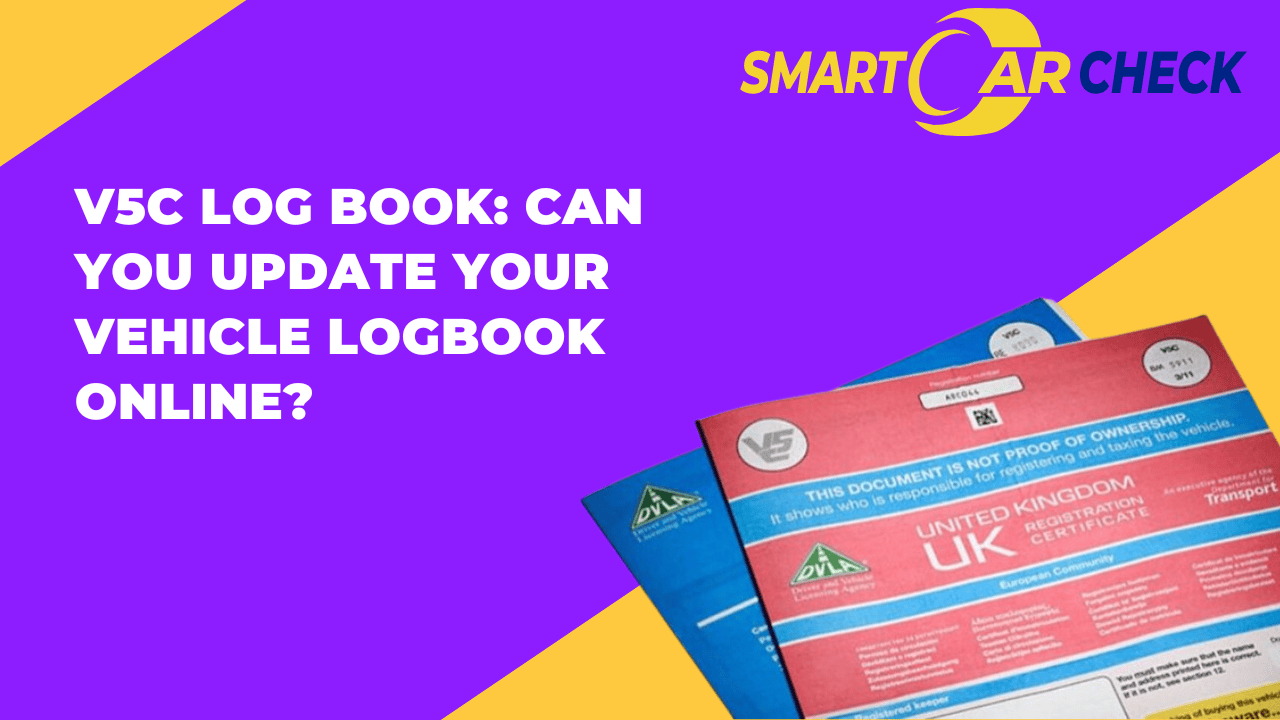
One question often asked by UK car owners is if they can update their logbook online. The answer is yes! You can update your logbook details and information online without having to visit the DVLA.
In this guide, we will show you how to update the logbook, discuss when and why you should update your logbook. To confirm a V5C logbook details online, you can use our reliable logbook check tool to view important logbook information.
What is a V5C Logbook?
A V5C logbook, also referred to as the vehicle registration certificate, is an official document issued by the Driver and Vehicle Licensing Agency (DVLA) to the registered keeper of a vehicle. It is one of the most important documents in the custody of a vehicle’s registered keeper.
Be aware that there is a difference between the owner and the keeper of the vehicle. The registered keeper is the main user of the vehicle and is responsible for registering and taxing the vehicle, while the owner is the one who paid for the vehicle.
Variations of the V5C Logbook
Here’s what you need to know about the two variations of the V5C logbook:
Green and Blue Document (Old V5C Variation)
- Introduced by the DVLA in 2004.
- Contains 12 sections with various details.
- Section 6 is crucial—it’s the “New keeper details” section.
- Section 10 includes a green slip (V5C/2) used for transferring ownership to a future buyer when selling the car.
Pink and Red Document (New Variation):
- In use since 2012.
- Known as the “new” V5C.
- Provides essential information about the vehicle.
- Includes details such as the make, model, date of registration, VIN/chassis number, engine number, and colour. Confirms body style, taxation class, and fuel type
Both variations are still accepted in the UK, and they contain everything you need to know about the vehicle. You can also think of it as the vehicle’s official ID card, packed with key information like:
Vehicle details
You will find vehicle information such as the make, model, year of manufacture, engine size, fuel type, registration number, and VIN (Vehicle Identification Number).
Registered keeper information
The name and address of the registered keeper (or the company’s if financed).
Previous keepers
You will find up to six previous owners with their dates of ownership.
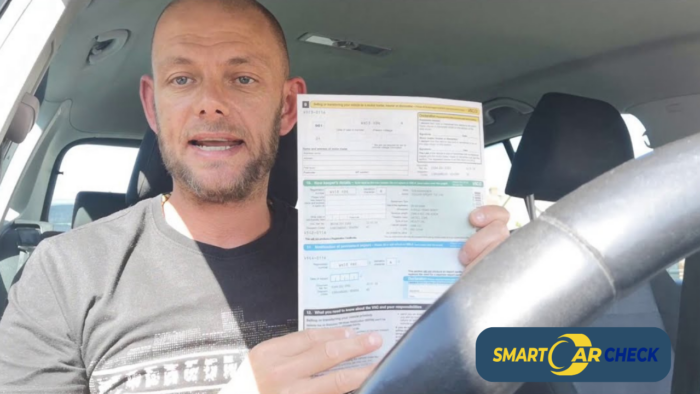
How to Change Logbook Online
You can update log book online by following simple, easy steps. This is very important as you may be fined up to £1,000 if incorrect or outdated information is found on your vehicle’s logbook.
Here’s how to change the address on your V5C logbook:
- Visit the GOV.UK ‘Change your address on your vehicle log book (V5C)’ page for logbook address modification and click “Start now”
- Enter the vehicle details, such as the registration number, the 11-digit document reference number on the current V5C (for online changes) or the 12-digit New Keeper’s Reference from the yellow slip (if you just bought the car but have not yet received the full V5C).
- Enter the postcode of the registered keeper, and input the new address.
- Review your details, ensure you’re the registered keeper and submit the form to update V5C online.
The updated V5C document should be available within 5 working days, and you can review the changes made. If you want to update any other information on your logbook, for example, the name of the registered keeper, you cannot do this online; you will have to send it to the DVLA by post.
Note: Whenever you change your address, also remember to update the address on your driver’s license and VED (road tax) payment details.
How to Get a Replacement V5C Logbook
If you have damaged, stained, torn, or lost your V5C, you can apply for a duplicate or replacement log book online, by phone or by post (using the Form V62). The cost for the logbook replacement is £25.
Online Application
- If you haven’t changed details or need to update anything, visit the GOV.UK logbook service page
- Provide details such as the car registration number, VIN number, registered name and the postcode
- Receive the replacement logbook in about 5 days.
Application by Phone
This is only possible if your registered details are the same as on the missing logbook
Call the DVLA on 0300 790 6802. Only available from Mon-Sat (8am-7pm, Sat. = 8am-2pm).
Provide your registration number, VIN, and postcode
Application by Post
Use this if you can’t apply online/phone, not the registered keeper, or you need to update your details.
Download the Form V62, fill and post to DVLA.
DID YOU KNOW?
The DVLA gets up to 1.4 million logbooks for change of address annually. This is around 4,000 to 5,000 V5Cs per day.
Why Update My V5C Online: What Are the Risks if I Don't?
Keeping your V5C updated protects you from legal problems, fines, and hassles. Not updating creates serious risks that cost you money and time.
You’ll Get Fines and Penalties That Aren’t Yours
When your address stays wrong on DVLA records, parking tickets and speeding fines get sent to you even after selling your car. You’ll waste time proving you weren’t responsible.
Traffic Violations Come to Your Door
The new owner breaks traffic laws but fines arrive at your house. You’ll fight with authorities proving someone else was driving.
Parking Charges Keep Arriving
Parking companies chase you for unpaid charges from a car you sold months ago. Sorting this mess takes phone calls and paperwork.
You Stay Legally Responsible for That Vehicle
Until DVLA updates their system, you’re still the registered keeper on paper. This means you’re connected to whatever happens with that car legally.
Insurance and Tax Problems Pile Up
You might get chased for unpaid road tax or insurance on a car you don’t own anymore. Clearing your name becomes frustrating.
Criminal Activity Gets Linked to You
If the car gets used in crimes, police might knock on your door first. You’ll need proof you sold it already.
Can I Verify Car Registration Details Online?
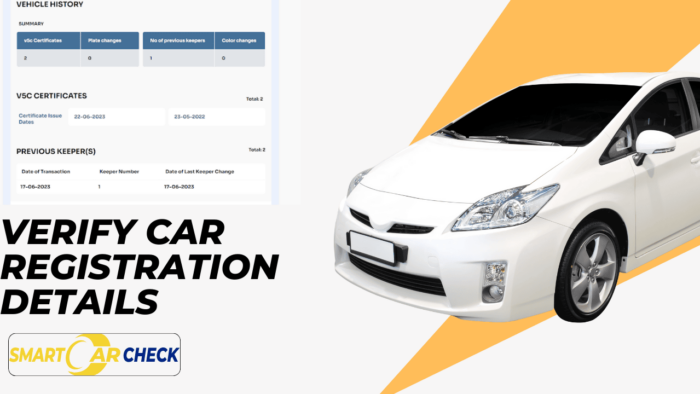
Yes! You can verify car registration details online with the registration with the Smart Car Check V5C logbook check tool.Smart Car Check provides accurate DVLA information, and detailed vehicle history on any UK-registered vehicle.
With the tool, you can verify the following logbook details:
- Vehicle Registration Mark (VRM) or Reg Number
- Date first registered
- Date of last V5C (logbook) issued
- VIN number (last 5 digits)
- Number of V5C certificates
- Number of previous keepers
- Colour changes
- Certificate issue dates
- Date of last keeper change, and more.
What Else Is Revealed with the V5C Logbook Check
If you’re buying a used car, the V5C logbook check also helps reveal detailed car specifications, ownership records, outstanding finance, stolen car records, and more. Here are the records to expect:
- Vehicle description
- Outstanding finances
- Insurance written off
- Stolen car check
- MOT history
- Tax details
- Previous Keepers
- High-risk records
- Plate and colour changes
- Co2 emissions
- Mileage discrepancies
- Fuel economy
- Auction records
- Weights and dimensions etc.
Final Thoughts on How to Change V5C Online
Keeping your V5C logbook up to date is a legal requirement and helps avoid fines or delays when selling or updating your vehicle details. With the detailed steps above on how to update your V5C logbook online, you can easily update your logbook details, ensuring your vehicle records and documentation stay accurate.
FAQ On Updating your Logbook Online
How do I change the address on my V5C online?
To change the address on your V5C logbook online, visit the official website for log book address modification, provide the 11-digit V5C document reference number, the postcode of the registered keeper and submit the form.
How do I transfer logbook online UK?
To transfer V5C online in the UK, use the GOV.UK “Tell DVLA you’ve sold, transferred, or bought a vehicle” page, and provide the new owner’s details and the 11-digit reference number from the V5C.
Can I see my V5C logbook online?
No, you cannot see the full details of your V5C logbook online like the physical registration certificate. However, you can see some details and also request for replacements using the DVLA vehicle log book website.
Can I download a copy of my log book online?
Yes, although DVLA typically does not offer the option to download a copy of the entire logbook, you can request a replacement V5C logbook online if needed, and a physical copy will be sent to you by post.
What's the difference between a V5 and a V5C?
There is no difference between a V5 and a V5C. Both terms are used to refer to the vehicle logbook.




